From empty channel to posted video. Your AI does every step.
Runs on your own computer, inside Claude or ChatGPT.
ChatGPT: paid 15 min setupyour AI does it
Faceless Video Kit is a download that runs inside your own Claude or ChatGPT. It sets up your channel, picks your topics, writes the scripts, makes the finished videos and Shorts, and posts them. Autopilot runs it every week. You say yes.
- Posts for you, after your yes
- Runs inside Claude or ChatGPT on your Mac or PC
- 1 · YOUTick topicsonce a week
- 2 · YOUR AIMakes it allvideo, thumbnail, Shorts
- 3 · YOUSay yesit posts them for you
Or $199 once, yours for life · 7-day refund, no questions
What else will I pay for?
Pictures, clips and voice come from the AI services the Kit has built in (fal.ai, Higgsfield, OpenAI, ElevenLabs, Fish Audio or Google Veo), paid to them direct at their own price, or you use your own files. You pick the model from a menu with prices. The Kit shows the price before every spend, and autopilot stays under a weekly limit you set. Topic research and stock footage are free. Claude's free plan works; ChatGPT needs a paid plan.
Will it post for me?
Yes, after you say yes. It uploads to YouTube in your own browser and posts Shorts to TikTok, Instagram, X, Facebook and Threads. Nothing goes public without your OK.
Will my channel make money?
We can't promise that. Nobody honest can. Earnings depend on your niche, how often you post and YouTube's own rules. The Kit makes the videos. Growing the channel is still up to you.
How is this different from just asking ChatGPT or Claude?
On its own, your AI assistant can write a script. It can't make the voice, pictures, captions, thumbnail and finished video, check each step, cut the Shorts and post them. The Kit gives it the tools and the step-by-step method to do all of that on your computer. It also studies the videos already winning your topic before it writes.
Not sure your niche will work? Check it free →
Love a channel? X-ray it free →
Real Kit output: the video and its Short. Autopilot card shows example numbers.
Every clip is real output. Orange tags: moving clips the Kit made from a one-line description. The rest: real footage from our own faceless channels, edited by the same pipeline.
Real videos, not mock-ups.
Each clip opens a full-length video from our own faceless channels, made by the same pipeline that powers the Kit. Tap one for sound.
Five steps. You do two of them.
Your AI assistant runs the Kit on your computer, and you see every video in your own Studio page. Each step is checked before the next one starts. Tap a screen to see it full size.
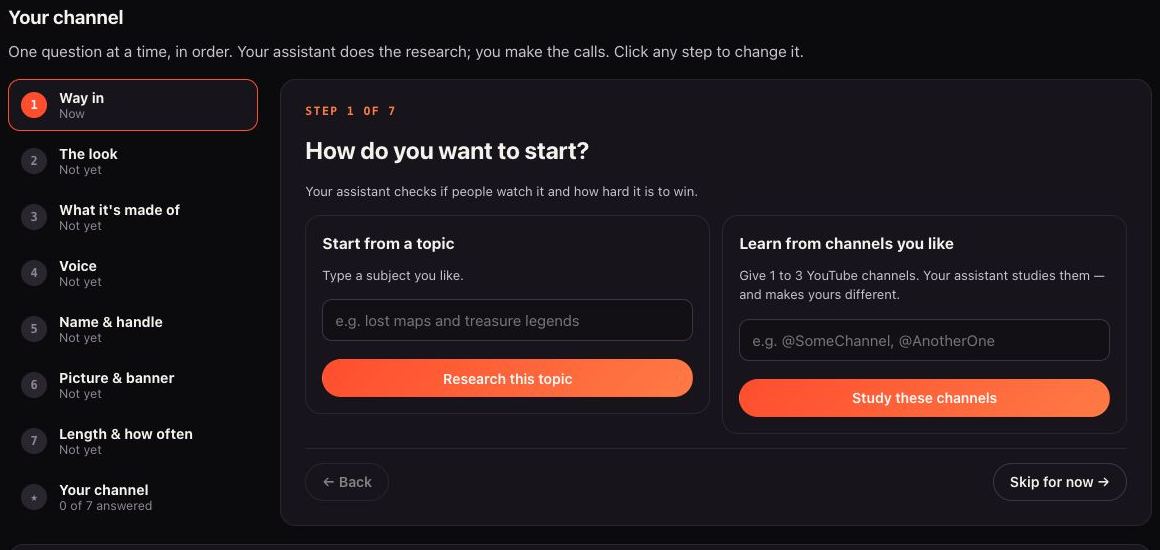
Pick a niche, or a channel you admire
It checks the niche against six gates, or studies 1–3 channels you like. Then it sets up your channel: name, banner, description, how often to post.
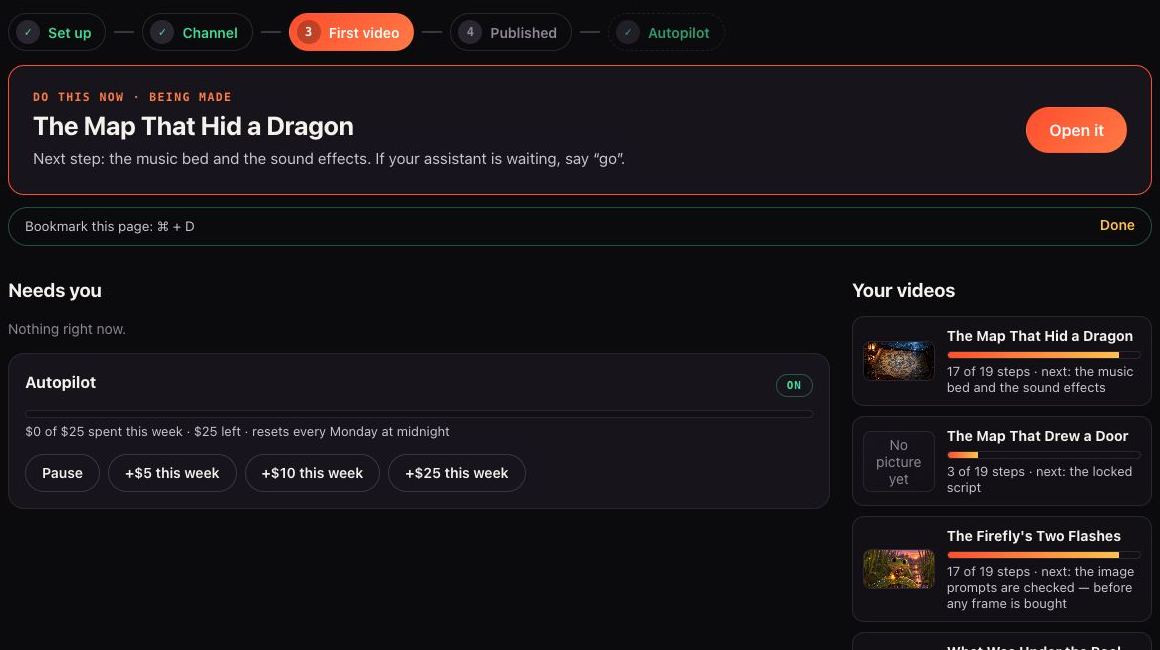
Tick this week's topics
It finds what is rising in your lane and lays out angles nobody has made yet. You tick the ones you want. Autopilot makes them under a weekly spending limit you set.
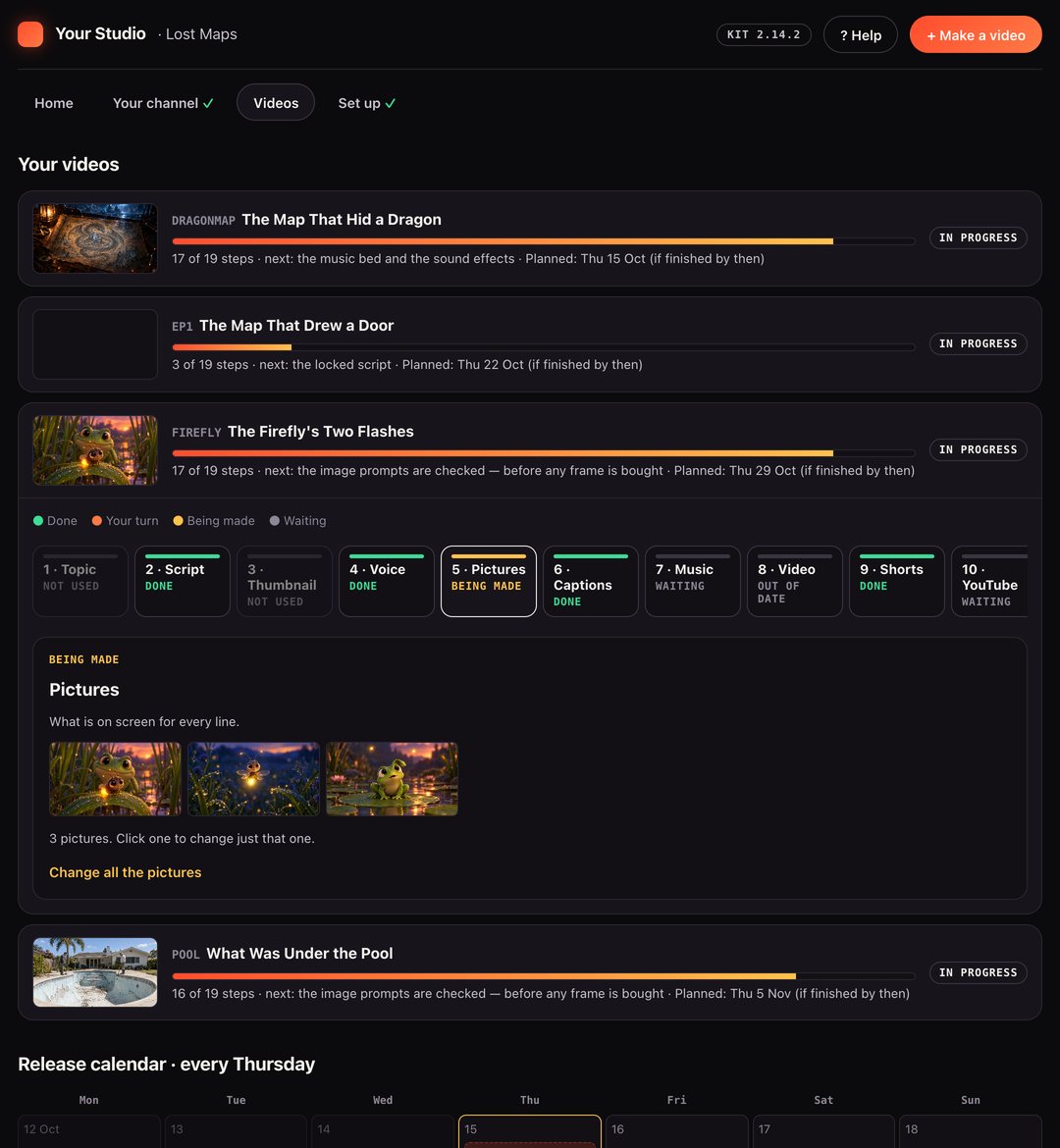
Script, visuals, voice and captions
A script that learns from the top videos in your lane, pictures in your look, narration from your voice service, captions timed to the word.
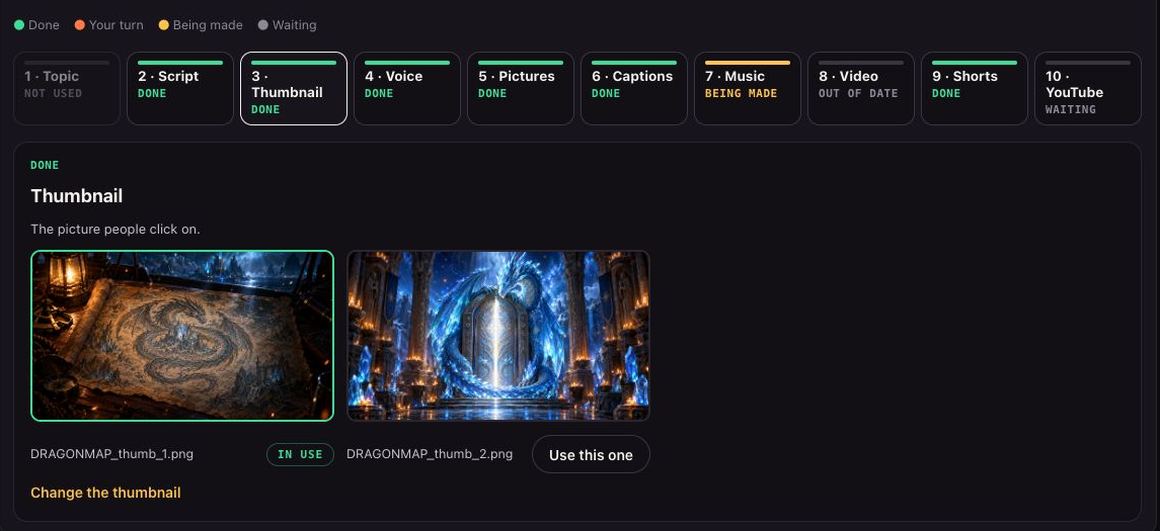
A finished MP4, thumbnail and Shorts
An upload-ready video, a thumbnail built on what gets clicks in your lane, and up to five vertical Shorts. You tick which.
Say yes, and it publishes
Your assistant fills in YouTube Studio in your own browser and schedules the video. Then it posts the Shorts to YouTube, TikTok, Instagram, X, Facebook and Threads.
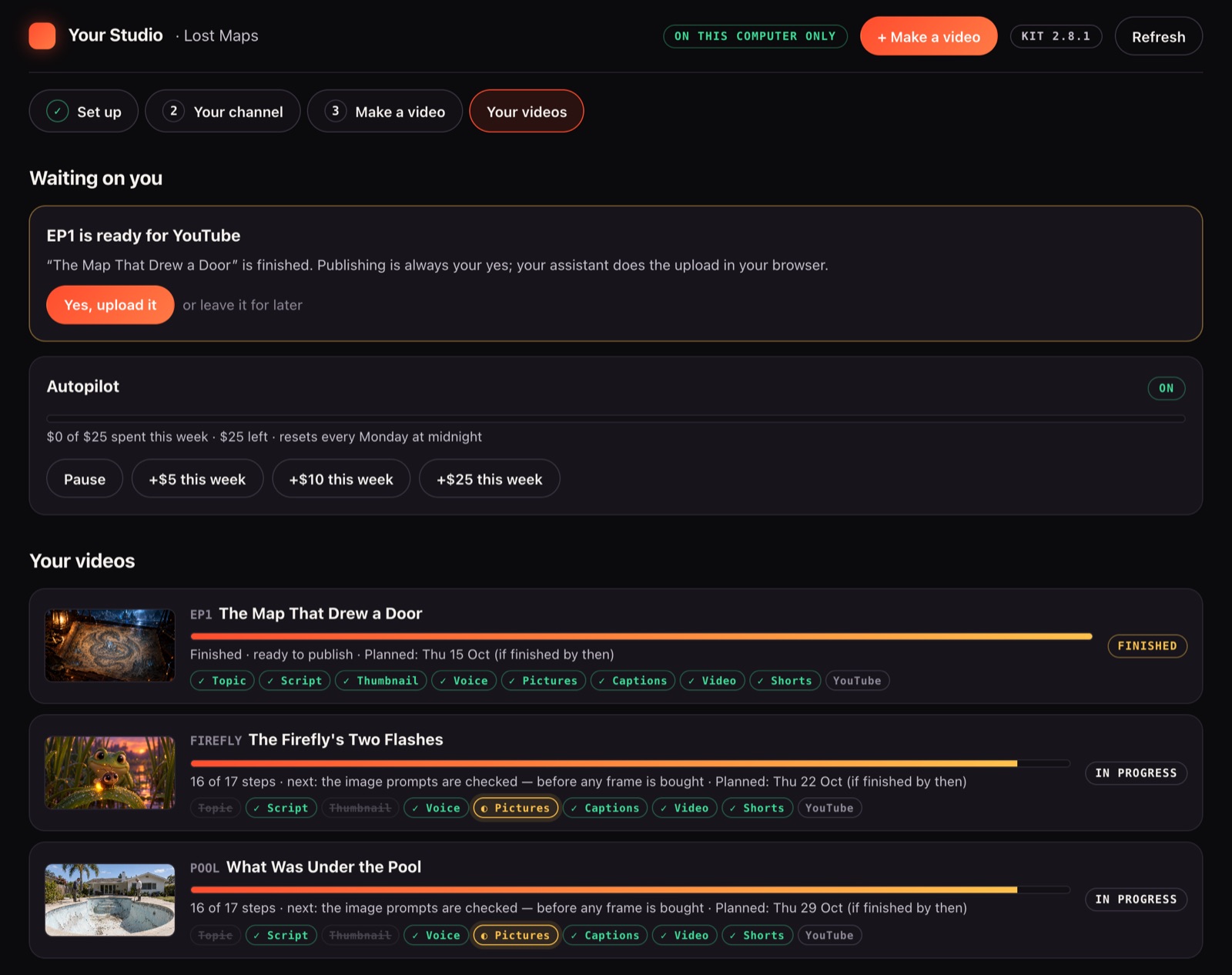
One kit. Every step.
Most AI video tools make the video. The Kit builds the whole channel around it: niche, setup, topics, scripts, videos, Shorts and posting. Autopilot runs it every week inside a spending limit you set.
- Pick your nichechecks it's worth it first
- Set up your channelname, handle, profile picture, banner
- Get topicsfrom what's winning right now
- Get scriptsshaped by the top channels in your niche
- Make the videopictures, voice, captions, music, MP4
- Cut the Shortspick 1–5 per video
- Post itYouTube + 5 socials, after your yes
| What it does | Most AI video tools | Faceless Video Kit |
|---|---|---|
| Checks if your niche is worth it | Rarely | ✓ |
| Learns from a channel you admire, without copying it | Rarely | ✓ |
| Sets up your channel: name, banner, profile picture | ✗ | ✓ |
| Topics from what's winning right now | Some | ✓ |
| Scripts shaped by the top channels in your niche | Rarely | ✓ |
| Pictures, voice, captions, music, finished video | ✓ | ✓ |
| Shorts from every video | Some | ✓ |
| Posts to YouTube, TikTok, Instagram, X, Facebook, Threads | Some | ✓ |
| Autopilot with a weekly spending limit you set | Rarely | ✓ |
| Any style, any language | Some | ✓ |
| Runs inside your own Claude or ChatGPT | ✗ | ✓ |
"Most AI video tools" = the web-based faceless video makers and YouTube AI tools we compared the Kit against, October 2026.
Small faceless channels. Millions of views.
Faceless videos from 2026, each on a channel under 71K subscribers, in formats the Kit makes.
Other creators' channels. Not made by us or with the Kit.
Why The Ocean's Deadliest Predator Refuses To Kill Us
Watch on YouTube →How Long You'd Last in Every Prehistoric Era
Watch on YouTube →4.5 Billion Years of Earth's History in JUST 1 Hour
Watch on YouTube →Beautiful Wolf Creature Saves the Man Running From Her
Watch on YouTube →Inside the Giant Ajinomoto Factory (Full Process)
Watch on YouTube →Why Your Brain Never Feels Rich Enough (And How to Rewire It)
Watch on YouTube →Other creators' videos, not made by us or with the Kit; shown as what these formats can do. Views as of Sep–Oct 2026; earnings are NexLev estimates of YouTube ad revenue only. Results vary and are not guaranteed.
Open the folder. It's all there.
- A finished MP4, upload-ready, 1080p up to 4K
- The script, yours to read and change before anything is made
- A thumbnail built on what gets clicks in your lane
- Up to 5 vertical Shorts, the ones you tick
- Captions on the video, or a .srt file for YouTube's CC button
- Final Cut, Premiere and DaVinci Resolve timelines, if you want to edit
- Upload details: title, description, tags and a pinned comment
8–13 hours by hand→a few yeses
You tick the topic, read the script and say yes to the upload. Your AI assistant does the rest.
Your script. Not a copy.
The Kit studies the videos already winning your topic, works out why they work, then writes its own script with its own angle. Every title, thumbnail and script is checked against the channels you model. A near-copy is refused and remade.





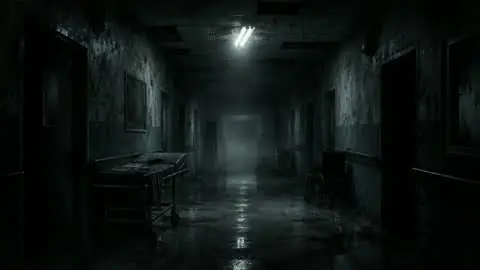
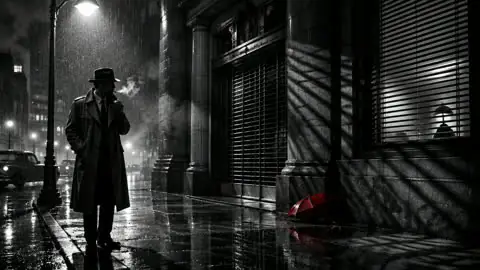



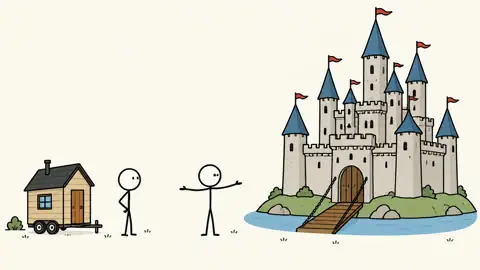

Every step, on video.
Eight short guides, about a minute each, filmed in the real Studio. Tap one to watch it here.
Stuck after you buy? The Studio has a Help box with instant answers and hands you to your own AI assistant, which knows your channel. One click sends us a bug report.
Pick your plan.
The same Kit and every update on all three. Runs on your Mac or PC inside Claude or ChatGPT, with about 15 minutes of setup. 7-day refund, no questions.
| Plan | Starter | Pro | Lifetime |
|---|---|---|---|
| Channels | 1 | Unlimited | Unlimited |
| Price | $29/mo | $49/mo | $199 once |
| Niche → published video | ✓ | ✓ | ✓ |
| Autopilot, Shorts, posting | ✓ | ✓ | ✓ |
| MP4 + editor timelines | ✓ | ✓ | ✓ |
| Updates | While subscribed | While subscribed | For life |
What else will I pay for?
Pictures, clips and voice come from the AI services the Kit has built in (fal.ai, Higgsfield, OpenAI, ElevenLabs, Fish Audio or Google Veo), paid to them direct at their own price, or you use your own files. The Kit shows the price before every spend, and autopilot stays under a weekly limit you set. Topic research and stock footage are free. Claude's free plan works; ChatGPT needs a paid plan.
What buyers say on Trustpilot
Before you buy.
What else will I pay for?
Pictures, clips and voice come from the AI services the Kit has built in (fal.ai, Higgsfield, OpenAI, ElevenLabs, Fish Audio or Google Veo), paid to them direct at their own price, or you use your own files. You pick the model from a menu with prices. The Kit shows the price before every spend, and autopilot stays under a weekly limit you set. Topic research and stock footage are free. Claude's free plan works; ChatGPT needs a paid plan.
Will it post for me?
Yes, after you say yes. It uploads to YouTube in your own browser and posts Shorts to TikTok, Instagram, X, Facebook and Threads. Nothing goes public without your OK.
Is it a website or an app I log into?
No. It's a download that plugs into Claude or ChatGPT on your Mac or PC. After setup you get your own Studio page on your computer, where you pick looks and voices and see every video.
Do I need any tech or editing skills?
No. Setup takes about 15 minutes and your AI assistant does it with you. No commands to type, and you never edit: tick a topic, read the script, say yes. Every choice comes as a few options with one marked as recommended. With ChatGPT you double-click an installer once.
How is this different from just asking ChatGPT or Claude?
On its own, your AI assistant can write a script. It can't make the voice, pictures, captions, thumbnail and finished video, check each step, cut the Shorts and post them. The Kit gives it the tools and the step-by-step method to do all of that on your computer. It also studies the videos already winning your topic before it writes.
What if it's not for me?
Ask for a refund within 7 days. No questions. Monthly plans cancel any time. When a plan ends the Kit stops, but every video you made stays on your computer.
Will my channel make money?
We can't promise that. Nobody honest can. Earnings depend on your niche, how often you post and YouTube's own rules. The Kit makes the videos. Growing the channel is still up to you.
Which kinds of videos can it make?
Long videos and Shorts in 12 looks (photo-real, 3D cartoon, fantasy, stick figures, archival film, stock footage and more) or one you describe. Stills, b-roll, AI video, animated explainers or a mix. Up to 4K, captions your way, music, and the same character in every frame if you want one. Script, voice and captions in Spanish, Hindi, Portuguese, Arabic and more.
Your first video is a few yeses away.
Pick a niche. Say yes. Upload.
Get the Faceless Video KitCheckout takes a minute. Setup about 15, with your AI.